
Cuddles and Chaos Fortnite Guide: How to Complete Quests and Earn Rewards
Master the Cuddles and Chaos Fortnite event. Discover map codes, XP farming strategies, rewards, and how to get the Panda Team Jr. sidekick.
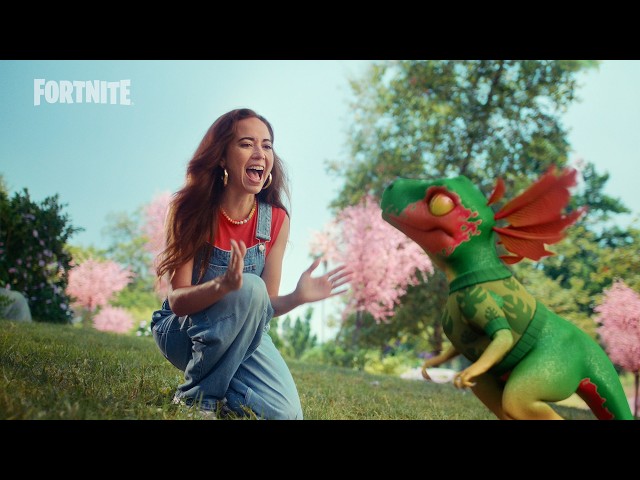 Official mediaMaster the Cuddles and Chaos Fortnite event. Discover map codes, XP farming strategies, rewards, and how to get the Panda Team Jr. sidekick.YouTube
 Fortnite has always been a masterclass in evolving its gameplay loop, and the latest update is no exception. If you are looking to expand your in-game locker with adorable companions and earn massive amounts of experience points, the new Cuddles and Chaos Fortnite event is your golden ticket. Whether you are a casual player looking for free cosmetics or a hardcore grinder trying to level up your Battle Pass, mastering the Cuddles and Chaos Fortnite update will give you a massive advantage this season.
In this comprehensive guide, we will break down everything you need to know about this creature-focused event. We will cover the history of pets in the game, how to access the new Creative maps, step-by-step instructions for the fastest XP farming methods, and how to claim all the exclusive rewards before the event concludes.
What is the Cuddles and Chaos Event?
The event is a celebration of "Creature Games," a rapidly growing category of Creative Islands that focuses heavily on sidekick-centric gameplay. While the concept of having animals accompany you in Battle Royale might seem new, Epic Games has actually been iterating on this idea for years.
To understand how we arrived at this monster-battling milestone, it is helpful to look back at the history of companions in the game. Epic Games first introduced "Pets" back in Chapter 1 Season 6 (2018). While these creatures had charming animations, they were functionally limited because they were treated as Back Blings. They remained strapped to the player's back and offered no real gameplay interaction.
After largely abandoning the pet concept for several years, Epic revived and completely overhauled the system in late 2025 with the introduction of "Sidekicks." Unlike their back-bound predecessors, sidekicks are free-roaming, customizable creatures that follow players throughout a match. Crucially, they are invisible to opponents, ensuring they do not compromise your tactical positioning.
With this event, Epic is pushing the boundaries of what sidekicks can do. By giving Creative island developers specialized tools to build custom games around these creatures, Fortnite has essentially introduced its own Pokémon-style ecosystem. For a deeper look at how this update changes the game's landscape, you can check out Polygon's breakdown of the event, which highlights the transition toward companion-focused gameplay.
The features of the Cuddles and Chaos Fortnite collection represent a massive leap forward in player-companion synergy, as detailed in the comparison table below.
Table 1: Evolution of Companions in Fortnite
| Era / Feature | Companion Type | Movement & Behavior | Visibility to Enemies | Customization & Progression |
|---|---|---|---|---|
| Chapter 1 Season 6 (2018) | Pets (Back Blings) | Static; bound to the player's back with basic reactive animations. | Fully visible to all players. | None; static cosmetic styles only. |
| Late 2025 | Sidekicks | Free-roaming; dynamically follow the player across the map. | Invisible to opponents to prevent tactical disadvantage. | Earn Sidekick Points to unlock outfits and accessories. |
| Current Event (2026) | Creature Games | Active combatants; participate in battles, use skills, and level up. | Custom rules per Creative map (PvE and PvP modes). | Deep level-up systems, custom skill trees, and exclusive event rewards. |
How to Find and Play Cuddles and Chaos Islands
Accessing these new maps is incredibly straightforward, thanks to a dedicated section in the game's main menu. Epic Games has curated a list of standout experiences that showcase the best of sidekick gameplay.
To find these maps, follow these simple steps:
- Launch the game and navigate to the Play tab.
- Scroll down to the Game Collections row.
- Select the Cuddles and Chaos category.
- From here, you can browse through "Exceptional Creature Games" and "Creatures Standouts."
If you prefer to jump directly into the most popular experiences, we have compiled a directory of the featured maps below.
Table 2: Featured Event Map Directory
| Map Name | Category | Primary Gameplay Style | Key Mechanics |
|---|---|---|---|
| Sidekick Masters | Exceptional Creature Games | Turn-based RPG / Monster Battler | Level up sidekicks, fight bosses, and purchase upgrades. |
| Sidekick Wars | Exceptional Creature Games | Team-Based PvP | Coordinate with your sidekick to eliminate opposing players. |
| Astropets Tycoon | Creatures Standouts | Idle / Tycoon | Build a space base while your pets generate passive income. |
| Pets vs Brainrots | Creatures Standouts | PvE Survival | Defend your base against waves of enemies alongside your companions. |
Finding the Cuddles and Chaos Fortnite category in the Discovery menu is your starting point for unlocking all the free cosmetics associated with the event.
Step-by-Step XP Farming Guide (Sidekick Masters)
If your primary goal is to complete your event challenges and level up your Battle Pass as quickly as possible, player experiences point to one map in particular: Sidekick Masters (Map Code: 8402-7861-9119), created by Ghost Gamer Gaming.
Community reports have highlighted a highly efficient XP loop on this map. By utilizing a specific re-entry method, you can bypass hours of grinding and secure tens of thousands of experience points in minutes.
Follow this step-by-step guide to optimize your Cuddles and Chaos Fortnite XP yield:
Step 1: Launch a Private Match
Go to the island code entry screen and input 8402-7861-9119. Before matchmaking, make sure to set your game privacy to Private. This ensures other players won't interrupt your farming loop or steal your targets.
Step 2: Select Your Starting Sidekick
Once you load into the map, you will be prompted to choose a starting companion. You can choose between various options, such as a cat, a dinosaur, or a chocolate creature. According to player experiences, your choice does not affect the XP yield, so pick whichever creature you prefer.
Step 3: Defeat the First Opponent
Enter the combat arena and engage the first enemy. Open your skills menu and select your offensive abilities (such as the lightning strike or gold multiplier). Defeating this initial opponent is incredibly easy and will immediately award you a chunk of experience points.
Step 4: Interact with NPCs and Buy Upgrades
After the battle, you will transition to your "crib" (home base). Walk over to the NPC named Jane and speak with her to trigger a quick dialogue dialogue sequence for extra XP. Next, head over to the food vendor. If you have gold, purchase food items like Cheeseburgers. Each purchase triggers an instant 1,000 XP drop.
Step 5: Execute the Re-Entry Exploit
This is where the real magic happens. Instead of proceeding with the lengthy story mode, open your pause menu and select Leave Match. Because your progress saves automatically, you can immediately queue back into a private match of Sidekick Masters.
Upon spawning back into the map, the game's quest tracking system often registers your sidekick's status and automatically awards you a massive "completion" bonus ranging from 15,000 to 30,000 XP instantly. Players have reported getting up to 60,000 XP in under two minutes using this simple exit-and-re-enter loop.
Table 3: Sidekick Masters XP Farming Loop
| Step | Action | Estimated Time | Expected XP Yield | Pro Tip |
|---|---|---|---|---|
| 1 | Enter Map 8402-7861-9119 (Private Match) | 30 seconds (loading) | N/A | Always ensure the lobby is set to private to speed up loading times. |
| 2 | Choose a sidekick and defeat the first enemy | 45 seconds | 10,000 – 15,000 XP | Use multi-strike and lightning skills to end the fight in one turn. |
| 3 | Talk to Jane & buy Cheeseburgers | 20 seconds | 2,000 – 5,000 XP | Spend all your gold on cheap food items for rapid XP triggers. |
| 4 | Leave match and queue back in | 45 seconds | 20,000 – 30,000 XP | The game saves your data but triggers a spawn bonus upon re-entry. |
By repeating this cycle, you can easily max out your daily creative XP cap. Remember that daily quests reset every morning at approximately 9:00 AM EST (6:00 AM PST), which is the perfect time to log back in and repeat the process.
Event Rewards & Twitch Drops
Participating in the Cuddles and Chaos Fortnite event gives you access to a variety of limited-time cosmetics. These rewards are split between in-game quest completions and external community events like Twitch Drops.
The crown jewel of the event is the Panda Team Jr. sidekick, a miniature, panda-inspired companion that will follow you through your matches. To unlock him, you must earn a specified amount of XP within any of the featured creature-based games.
Additionally, Epic Games offered a special Twitch Drop reward during the launch weekend. By linking your Epic Games account to Twitch and watching eligible streamers for 30 minutes, you could secure the exclusive KATS Turntable Back Bling.
Table 4: Event Rewards and Unlock Methods
| Reward Item | Item Type | How to Unlock | Availability |
|---|---|---|---|
| Panda Team Jr. | Sidekick Companion | Earn a total of 100,000 XP in featured Creature Games. | Available until August 25 |
| Event Weapon Wrap | Weapon Cosmetic | Complete 5 daily quests in any Cuddles and Chaos map. | Available until August 25 |
| Event Loading Screen | Loading Screen | Complete 10 daily quests in any Cuddles and Chaos map. | Available until August 25 |
| KATS Turntable | Back Bling | Watch 30 minutes of participating Twitch streamers. | Limited Launch Window |
If you missed the Twitch Drop window, don't worry! The in-game quests and the Panda Team Jr. sidekick remain active and obtainable for the duration of the event.
Troubleshooting and Known Issues
While the event has been highly praised for its creative gameplay and generous rewards, it has not been without its technical hurdles.
During the initial launch of the Cuddles and Chaos Fortnite campaign, many players reported severe game crashes when attempting to track or complete the event quests. In response, Epic Games temporarily disabled the quests to deploy a hotfix.
If you are experiencing issues where your quests are not tracking, or if the game freezes when you load into a creature map, keep the following troubleshooting steps in mind:
- Check Official Status Channels: Epic Games frequently posts updates regarding disabled features and hotfixes on their official social media channels, such as the Fortnite Status account on X (formerly Twitter).
- Clear Your Cache: If you are playing on a console (PlayStation, Xbox, or Nintendo Switch), a full system restart can clear corrupted temporary files that might cause Creative maps to crash.
- Avoid V-Buck Purchases in Creative: Some players have reported that interacting with V-Buck purchase prompts inside custom maps can freeze the game UI. It is highly recommended to avoid clicking on these prompts.
- Be Patient with Load Times: Because these maps utilize complex companion AI scripts, loading into a private lobby can sometimes take up to a minute. Do not close your game if the loading screen appears stuck for a brief moment.
Despite these minor launch-day hiccups, the event is scheduled to run all the way until August 25, giving you plenty of time to claim your rewards once the hotfixes are fully implemented.
Frequently Asked Questions
What is the Cuddles and Chaos Fortnite event?
It is a limited-time in-game event that highlights "Creature Games" in Creative Mode. The event introduces sidekick-focused gameplay maps where players can train companions, battle monsters, and earn free cosmetics, including the Panda Team Jr. sidekick companion.
How do I fix the Cuddles and Chaos Fortnite quest crash?
Epic Games temporarily disabled the event quests shortly after launch to address a crashing bug. To resolve local issues, ensure your game client is fully updated to the latest patch, clear your console's cache, and avoid interacting with premium payment portals inside Creative maps.
When does the Cuddles and Chaos Fortnite event end?
The event, along with its associated in-game quests and free cosmetic rewards, is scheduled to run until August 25. Make sure to complete your XP milestones and unlock your Panda Team Jr. companion before this date.
Can I get the KATS Turntable Back Bling if I missed the Twitch stream?
The KATS Turntable Back Bling was an exclusive Twitch Drop reward available for a limited time during the event's launch weekend. While it is currently unavailable, Epic Games occasionally brings highly requested Twitch rewards to the in-game Item Shop at a later date.
Related Guides
Fortnite Cuddles and Chaos End Date: How to Get Your Free Sidekick Before Time Runs Out
Find out the official Fortnite Cuddles and Chaos end date, learn how to unlock the P.A.N.D.A. Team Jr. Sidekick, and fix common quest bugs.
Fortnite Cuddles and Chaos Guide: How to Complete Quests and Earn Rewards Fast
Unlock the pink panda skin and maximize your XP with our comprehensive Fortnite Cuddles and Chaos guide. Learn the best maps and tracking tips.
How to Unlock the Panda Team Jr. Sidekick: A Complete Guide to the Cuddles and Chaos Event
Learn how to unlock the free Panda Team Jr. sidekick and master the Cuddles and Chaos event with our comprehensive guide to quests, rewards, and gameplay.
The Ultimate Cuddles and Chaos Collection Guide: Everything You Need to Know for Fortnite
Get ready for the Cuddles and Chaos collection in Fortnite. Discover what this exciting release means for your gameplay and how to prepare for the action.